Security and trust
Owners trust you with their homes, their schedules and the codes to their gates. Groundsman is designed so that companies, owners and residents never see each other's data, and so you can prove it.
Access and isolation
Ten roles touch a property, from the owner to a visiting guest. Each sees only its scope.
Enforced in the database
Every access rule is enforced twice: by the API and by row-level security in Postgres. The screens only hide; the database refuses.
Scoped roles
Company admins, managers, coordinators, field staff, owners, delegates, residents, guests and vendors each get exactly the access their role needs.
Tested for leaks
An automated suite attempts cross-company reads on every endpoint. A failure stops the release.
Modern sign-in
Short-lived sessions, passkeys for staff and owners, and one-time links or codes for residents and vendors.
QR codes that reveal nothing
A printed code opens only an intake page for one property, room or asset. Codes can be revoked, intake is rate-limited and protected by a bot check, and a reporter's status link shows the status, never notes or names.
Visibility on every job
Mark items standard, owner-only or private. Only standard items are ever discussed with residents, guests or callers.
Encryption and secrets
Encrypted at rest
The database, file storage and backups are encrypted with managed keys.
Encrypted in transit
Every connection uses TLS 1.2 or higher.
A vault for codes
Gate, alarm, Wi-Fi and lockbox codes use envelope encryption: each code has its own key, bound to your company, so it can't be opened in any other company's account. Each reveal records who, when and why, and grants can expire.
Every reveal on the record
Every reveal, and every refused attempt, goes into an append-only vault log that can't be edited or deleted.
Time-boxed access for field staff
Field staff see a code only inside a grant from a manager or company admin, for one code or a whole property, for up to 30 days. Without one, they can ask, and the property's managers get an email.
Codes never reach AI
Vault codes are never sent to an AI model. If one ever asks, the application and the database both refuse.
A dedicated key on Office
Office customers can have their data encrypted with a key dedicated to their organization.
AI with guardrails
AI does the first pass and a person decides anything that commits money, affects safety or exposes private information.
Personal details are removed from prompts where they aren't needed. Models run inside our cloud account, and your data is never used to train them. Every AI call is logged with the version of the instructions it used.
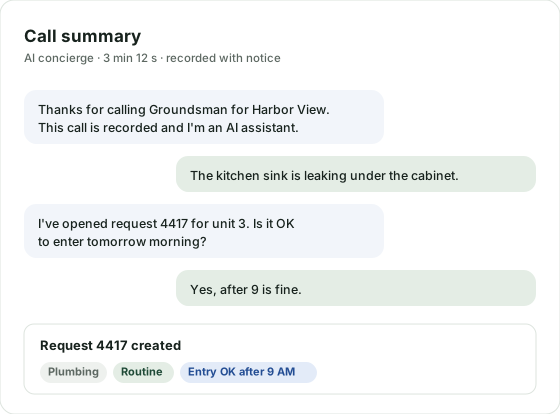
- The phone and text concierge says it's an AI on every call
- It never speaks or texts vault codes
- It answers callers only from information meant for their audience
- Triage only suggests, and a person accepts, edits or declines every request; on its own it can only raise the alarm on a likely emergency
- Names, emails and phone numbers are removed from reports before triage
- Emergency words, in English and Spanish, are checked without AI the moment a report arrives
Operations and your data
A full audit log
Every change and every AI action is recorded, and company admins can read the log.
Point-in-time recovery
The database can be restored to a point in time, files are versioned, and backups are copied to a separate account.
Export and deletion
Export everything to CSV and JSON on every plan. Ask us to delete your data and we will.
Location handled with care
Field staff location is collected only on shift, with a visible indicator and a signed notice, and raw location is deleted after 90 days by default.
Messaging consent
Recording notices on calls, consent records for texts, and STOP handled automatically.
Accessible by commitment
We build to WCAG 2.2 AA, and the product works in English and Spanish.
Security questions
Can one company ever see another company's data?
No. Each company's data is isolated by row-level security in the database, and an automated test suite tries to break that isolation on every endpoint before each release.
Can vendors see the gate code?
Only if a manager grants it, only for the time they set, and every reveal is logged. The AI concierge never reads codes aloud or sends them by text.
Can field staff see gate codes?
Only inside access a manager or company admin grants them, for the time they set (up to 30 days). Without a grant they can ask for access, and the property's managers get an email. Every reveal, and every refused attempt, is logged.
Can the AI see our codes?
No. Codes are never sent to an AI model, and the vault refuses any request made while a model is running, in the application and in the database.
What happens when someone reports an emergency?
Every report is checked for emergency words in English and Spanish, such as gas, smoke or flooding, the moment it arrives. A match marks it as an emergency and emails your company admins and the property's managers at once, with where it is and how to reach the person who reported it.
Will you fill in our security questionnaire?
Yes. Contact us with your questionnaire and we'll respond in writing.
Where is our data stored?
In the United States, on Amazon Web Services.
Questions about security?
We're happy to walk your IT lead, family office or insurer through how Groundsman protects your data.